All case studies

Case study 01  Deep dive

Global Research Coverage Platform

Enterprise product  Global B2B coverage workflow

A global coverage experience that helps research teams understand country-specific requirements, apply for coverage, receive quotes and move toward binding through one connected workflow.

Real enterprise project  anonymized
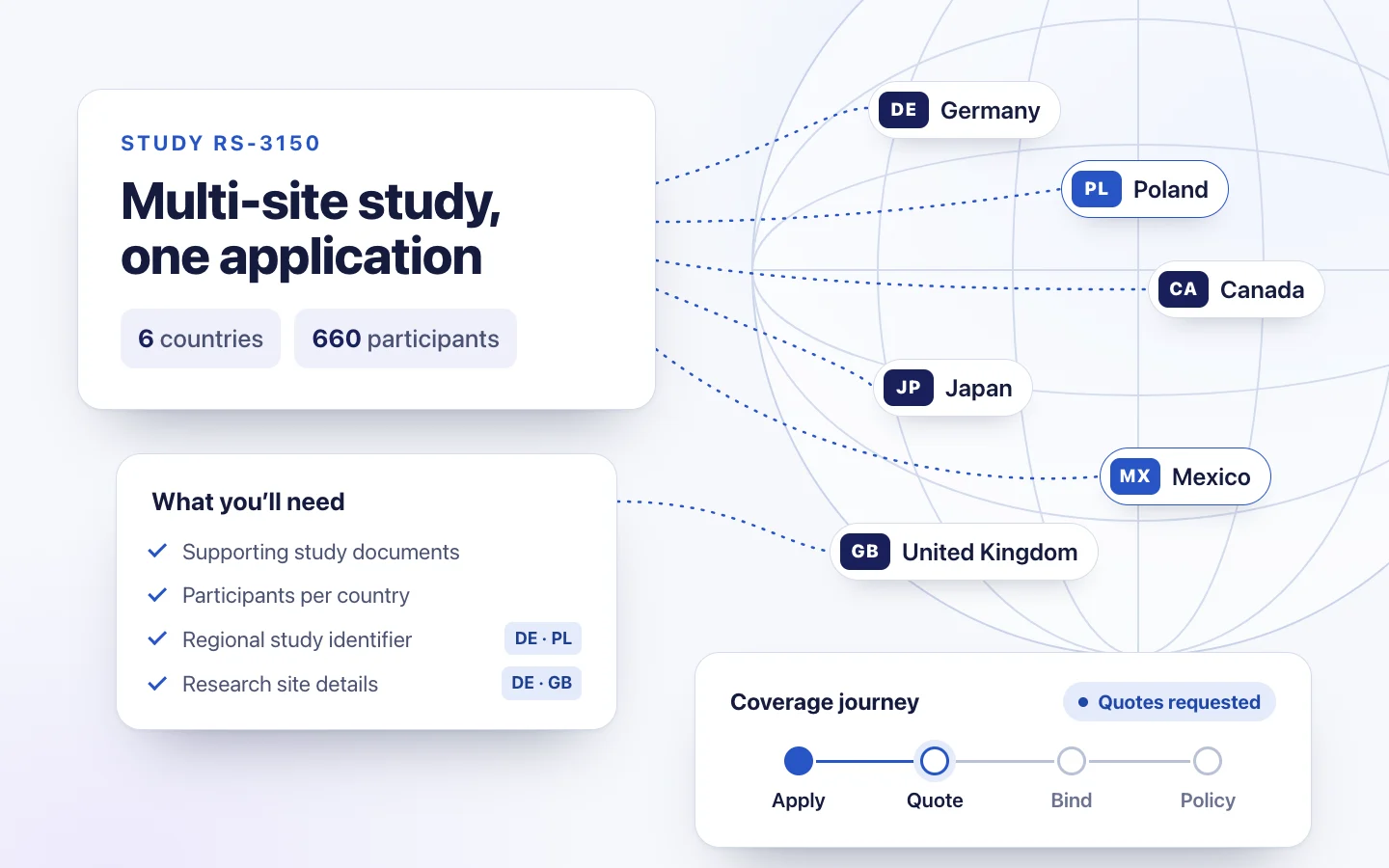
One study, many countries: a study card for a multi-site research program in 6 countries with 660 participants, linked to country chips for Germany, Poland, Canada, Japan, Mexico and the United Kingdom, a What you’ll need checklist, and a coverage journey from apply to quote, bind and policy
Role
UX / Product Design
Product
Global Research Coverage
Users
Research organizations, brokers and insurance partners
Scope
Multi-country application, quoting and servicing journey
Status
Progressed into development before I left the company

00  At a glance

The case in seven lines

Client
Northstar Life Sciences (anonymized)
Product
A global research coverage experience designed for programs operating across multiple continents, countries and geographies
Users
Research organizations, brokers and carrier partners
My contribution
Product and UX design, interaction design, prototypes and UI
Complexity
Multi-country insurance rules, dynamic information requirements, documents and handoffs between several parties
Status
A real enterprise project that progressed into development
Evidence
Product planning, FigJam workflows, roadmap artifacts, an interactive POC and detailed product designs in Figma

01  Challenge

Coverage across countries depended on four moving parts

Coverage requirements varied by country, while the application moved between the research organization, broker and insurance partners.

  • Research organizationneeds coverage across the countries where its program operates.
  • Brokercoordinates the application and quotation activity.
  • Insurance partnerevaluates the request, sets terms and issues coverage.
  • Countrychanges the information and documentation required.

An application arrived as documents and email. The broker validated it, screened countries where needed, and went to the market country by country. Carriers sent quotes back, often as one document per country, and the broker relayed them to the client. Selection, binding details and policy documents followed the same path.

So the product challenge was bigger than a form. The experience needed to help clients understand what each country required, give the right information once, and see what was happening after they handed the work over.

The design question

How might we make a complex global coverage process understandable and actionable for an organization running research across multiple geographies?

02  Complexity

Three parties, many countries, one lifecycle

Twelve steps, and the organization owns only some of them. Everything between “submit” and “receive quotes” used to happen out of sight.

  • Research organizationNeeds coverage in every country where its program operates.
  • BrokerCoordinates the application and goes to the market for quotes.
  • CarrierUnderwrites each country, sets terms and issues the policy.
  1. AApply

    1. Plan the research program Client
    2. Select countries Client
    3. Understand requirements Client
    4. Submit study details Client
    5. Upload supporting documents Client
  2. BQuote

    1. Broker and carrier processing Broker · carriers
    2. Receive quotes Client
    3. Select coverage Client
  3. CBind

    1. Provide binding information Client
    2. Bind Broker · carriers
    3. Receive policy documents Client
  4. DService

    1. Manage changes and renewal Client · broker · carriers

03  Discovery

What the evidence changed

No generic double diamond: the design moved because of specific findings in the team’s own artifacts. Product led much of the planning work; I used it, added to it in working sessions, and turned it into flows and screens.

  • Required information needs to be visible before an application starts.Changed: the requirements checklist and per-country items come right after country selection.
  • One application often covers many countries.Changed: countries are a first-class selection, and every country-level detail gets its own row or section.
  • Some questions only apply to some countries.Changed: country-specific steps and fields appear only for the countries that need them.
  • Research-site details vary by country.Changed: a section per country, each with its own status.
  • Quoting data and binding data are different.Changed: the application asks for what quoting needs, and binding details come later.
  • After submission, status lived in email, outside the product.Changed: a confirmation that explains the handoff, with an ID and a PDF copy, and status became part of the roadmap.
  • Program changes can restart parts of the workflow.Changed: changes were designed as a loop, not an exception (see 06).
  • Post-bind service is part of the real experience.Changed: the product model runs to policy documents and renewal, not just to Submit.

The insight that organized the rest

Quoting and binding are different information moments.

Clients don’t need to provide every possible piece of insurance information at the beginning. Some information is needed to obtain quotations. More may only become necessary when the client decides to proceed toward binding.

Moment 1

To get quotes

What a carrier needs to price the risk.

  • Countries
  • Study details
  • Participants per country
  • Study dates
  • Supporting study documents
  • Country-specific items

Moment 2

To bind coverage

Only once the client chooses which quotes to accept.

  • Carrier-specific binding requirements
  • Confirmed organization and insured details
  • Payment arrangements, where required

Product principleAsk for the right information at the right moment.

04  Product strategy

A product model that follows the research program

The study record is the spine of the product. Everything else hangs off it, so the same structure carries an application, its quotes and its policies.

  1. Organization accountMany usersA research organization; several people can work on its applications.
  2. Study recordThe keyOne research program and one coverage application, identified by a study reference.
  3. CountriesMany per studyEach with its own participants, dates and country-specific requirements.
  4. QuotesSeveral per countryFrom different carriers, compared and selected country by country.
  5. Policy and documentsTypically one per countryPolicies, certificates and endorsements when the program changes.
  1. 01

    Start with geography

    Country selection drives what the client needs to know and provide. The system has to handle many countries at once, not behave like a single-country insurance form.

  2. 02

    Reveal requirements dynamically

    Don’t show every possible question. The countries a client selects surface only what applies, such as:

    • participant counts
    • localized study information
    • research site details
    • documents
    • country-specific requirements
  3. 03

    Design beyond Submit

    Submitting isn’t the end. The experience has to help answer:

    • What happens next?
    • Are quotes ready?
    • Is action required?
    • What’s needed to bind?
    • Where are the policy documents?
    • What happens when the program changes?

The product is a lifecycle, not a form.

The roadmap

Three phases, labeled honestly

Only the first phase was designed and in development when I left. The others are product direction, not shipped work.

  1. Phase 1

    Digitize the application

    Designed  in development
    • Country selection
    • Dynamic requirements
    • Application
    • Documents
    • Submission
  2. Phase 2

    Connect the journey

    Planned
    • Save and resume
    • Program status
    • Quotes
    • Policy documents
    • Self-service
  3. Phase 3

    Reduce the remaining manual work

    Future exploration
    • Online binding and integrations
    • Program changes
    • Renewal
    • AI-assisted document extraction and application support

Save, exit and resume were already part of the detailed product design (moment F). The roadmap grouped the wider self-service features around them in Phase 2.

05  Experience

Key design moments

A guided flow from locations to submission. Each screen is a concept reconstruction with Northstar branding and sample data, not the final product UI. Country rules are illustrative, not regulatory guidance.

A

Country selection and “what you’ll need”

Problem
In the existing process, it was hard to know what each country would require until an application was well under way.
Decision
Start with country selection. Then show one checklist of what every application needs, and a table of the extra items specific countries add.
Why
Clients can gather documents and details before they invest time in the form, and the scope of a multi-country application is clear from the start.
Concept reconstruction · sample data · illustrative country rules. Locations step: six selected locations listed as rows, beside a panel of what every location needs and the extra items only some locations need, grouped by item: a localized study title, a regional study identifier, research site details or local representative details, each with the locations that ask for it.
B

Study details, country by country

Problem
Participant counts and study dates differ by country, so every added country multiplied the data entry.
Decision
Capture the study details once, then give each selected country its own row, with dates pre-filled from the general details so the client only checks or adjusts them.
Why
Less repeated typing, and each country’s numbers stay explicit, which is what carriers price.
Concept reconstruction · sample data. Participants step: one row per location with the participant count first and the study dates prefilled from the general details; two locations still need a participant count, so Next is not available yet.
C

Research sites, only where a country asks

Problem
Research-site details are required by some countries and not others, and each country can have several sites.
Decision
One section per country that needs them, with its own status, so the client sees which countries are complete and which still need fields.
Why
Progressive disclosure keeps a long, multi-country step scannable, and status is shown in words, not color alone.
Concept reconstruction · sample data · illustrative country rules. Research sites step: a card for each location that asks for site details. Germany is open and marked complete, with a site contact and an uploaded site list; the United Kingdom is closed and marked as having two fields left.
D

Review, then hand off

Problem
Submitting is the moment the work leaves the client and moves to the broker and carriers, so mistakes get expensive to fix later.
Decision
A review page grouped the way the application was built, with a way to change every group. Submitting gives an application ID, a PDF copy and a contact.
Why
Clients can check a dense, multi-country application in one place and leave with a record of exactly what was sent.
Concept reconstruction · sample data. Check and submit: the application summarized in the order it was entered, locations, organization, contact, study and documents, each with a Change link, beside a Ready to send panel with the totals, the Submit application button and a link to save and finish later.
E

A confirmation that hands off clearly

Problem
In the existing process, what happened after submission was communicated by email, so the next step wasn’t visible in one place.
Decision
The confirmation names the handoff (your team reviews it and comes back with quotes) and gives an application ID, a PDF copy and a contact.
Why
It closes the application moment with a record and an expectation, which is the first step of designing beyond Submit.
Concept reconstruction · sample data. Confirmation screen: Application sent, a note that a copy went to the client and their coverage team and that quotes will follow, then the application ID, a link to download the application as a PDF and a contact link.
F

Save, exit and resume

Problem
An application draws on information from colleagues and research sites, so it may not be finished in one sitting.
Decision
Save and exit on every step, a warning before the session times out, and an offer to resume on the same step at the next sign-in.
Why
The application fits how research teams actually gather information, instead of forcing one long session.
Concept reconstruction · sample data. Save for later: a sheet rises over the general details step, saying the answers are kept as a draft and the client comes back to the same step at the next sign-in, with Keep going and Save draft.
Early concept prototype

Making the workflow tangible early

Before the experience was fully defined, I built an interactive POC to make the journey tangible for stakeholders and expose questions about information requirements, country logic and flow. This version keeps its workflow and reasoning with a new interface and sample data.

Explore Concept (opens in a new tab) Works on desktop and phone

06  Designing for change

A bound policy doesn’t mean the research program stops changing.

Research programs evolve while they are active, and some changes can affect coverage or premium. So the design problem extends well beyond a new-business application.

What changes
Participant counts
Study dates
Research sites
Study titles
Additional insured and organization details
Endorsements
Policy changes
Renewal and extension
  1. Program changes
  2. Evaluate the impact
  3. Request or update information
  4. Broker and carrier review
  5. Possible revised terms
  6. Updated policy and documents

The loop can repeat for the life of the program, and a change that affects the premium sends it back through quoting.

Designed for the first release

What the product handles today

  • Edit any section of a draft before it is submitted
  • Save, exit and resume a draft at any step
  • A PDF record of exactly what was submitted
  • After submission, changes go through the broker, offline

Service model and future state

What we defined for later

  • Submit a change to a submitted application
  • Review only what changed, old next to new
  • Route premium-affecting changes back to carriers
  • Expiry and renewal reminders, and program extensions

Constraints and edge cases

Six cases I designed for

  • Multi-country requirements

    The same application asks different things in different countries, so every requirement is tied to the countries that need it.

  • Missing information

    Clear field-level errors, such as a study reference already in use or a date in the past, plus a page-level summary when a step can’t continue.

  • Variable timelines

    Information arrives from colleagues and sites over days, so drafts save, sessions warn before timing out, and the client resumes where they left off.

  • Document requirements

    Supporting study documents and site lists upload in the step where they’re asked for, with clear status per file.

  • Offline carrier processes

    Some steps stay with the broker and carriers, so the product sets expectations at handoff instead of pretending to track what it can’t see.

  • Post-bind changes

    Changes after binding can affect coverage and premium, so they’re designed as a loop with the broker, not as a field edit.

Concept reconstruction · sample data. Validation on the general details step: a summary says two answers need attention, an error under the study reference says another application already uses it, and an error under the study start says to choose a date from today onward.

07  Evolution

From whiteboard to detailed product design

The most useful step wasn’t wireframes to UI. It was putting a working journey in front of stakeholders early, and letting what it exposed reshape the flow.

  1. Step 1Business requirements and whiteboard

    With Product, the end-to-end service mapped across client, platform, broker and carriers, before any screens.

  2. Step 2Early interactive POC

    I built a clickable journey: sign-in, country selection with requirements, a stepper through organization, contact and study details, uploads, localized titles and a generated application PDF.

  3. Step 3Feedback and product learning

    Walking stakeholders through it exposed the real questions: which information each country needs, what belongs to quoting versus binding, and how long an application stays open.

  4. Step 4Refined flows and detailed product design

    The master Figma design: a focused step for each kind of study information, requirements up front, save and resume, review with edit, error states, plus the PDF and email templates.

What changed between the POC and the detailed product design, and why

  • Requirements moved up front, right after country selection, so clients know what to gather before investing time.
  • One long study-details page became focused steps: general details, participants by country, a regional study identifier where needed, research sites by country and localized titles, so each step asks one kind of question.
  • Country dates are pre-filled from the general details and only confirmed per country, which cuts repeated entry.
  • Save and exit, a session-timeout warning and resume were added, because real applications span days.

08  Outcome

What the work established

No launch metrics: the product was in development when I left.

  • Operational outcome

    Moved a fragmented, email-and-document application process toward a structured digital workflow for multi-country research programs.

  • Product outcome

    Established a clear path through country-specific requirements, and a product model that connects application, quotes, binding and servicing.

  • Project status

    A real enterprise project. The product design progressed into development before I left the company.

  • Future opportunity

    Validate with clients and brokers, then extend to online quoting and binding, program changes, renewal and AI-assisted application support.

Reflection

Reflection

The biggest lesson wasn’t how to digitize a complicated form. It was realizing the form was only one moment in a much larger service journey.

Designing for the lifecycle meant designing for four parties at once: the client, the broker, the carrier and the country’s requirements. The screens matter, but the work was deciding what each party needs at each moment, and being honest about which moments the product can see.

Want to talk through the work?

I’m happy to walk through this project, the decisions behind it and what I’d do next, in more detail.